

Private trip expenses
Split trip expenses
with friends.
Track who paid, split costs in different currencies, and see who owes what. Add friends and family, including guests without accounts.
Payments happen outside Splitter. Record them here to keep balances up to date.
- Saved exchange rates
- Guests without accounts
- Shared family balances
- Works on phones & computers
 Saved exchange rates
 Guests without accounts
 Shared family balances
 Works on phones & computers
Choose how to split each expense
Someone pays by card, someone else pays cash, a couple shares one room, or a friend joins halfway through. Choose who shares each cost and how much each person owes.
- Multiple people can pay the same expense
- Split costs equally, by amount, percentage, or shares
- Combine family balances when settling up
- Record expenses for guests without accounts
- Saved exchange rates keep past expenses unchanged
- Trip balances can roll into the next trip
Keep track of expenses and payments

Multiple payers
Record one expense with more than one payer, useful for mixed card and cash payments.
Four ways to split
Split equally, by exact amount, by percentage, or by weighted shares.
Families and couples
Combine balances for a family or couple when settling up. Expenses still track each person separately.
Multi-currency
Choose a supported currency for each expense. The saved exchange rate keeps past balances unchanged.
Guests
Record expenses for people without accounts. They can sign up later and claim their expense history.
Record payments
Log partial or full payments at any time during the trip.
Suggested transfers
See who should pay whom to settle the trip in fewer transfers.

Activity feed
See who added, edited, or deleted an expense or payment.
Receipt photos
Attach a receipt photo so everyone can check the details.
Carry balances forward
Carry unpaid balances into another trip with the same base currency.
Balance checks
Check expense totals, payments, saved exchange rates, and balances before finishing a trip.
Trip recap and statistics
Finish with a clear recap of spending, categories, currencies, dates, and settlement status.
From first expense to final settlement
Create a trip
Set a name, base currency, and member list.
Invite people
Share a link or add guests directly.
Add expenses
Log who paid, the category, and how to split.
Review balances
Switch between family and individual views.
Verify and finish
Check the ledger, then stop accepting new expenses.
Settle up or carry forward
Record payments or carry balances into the next trip.
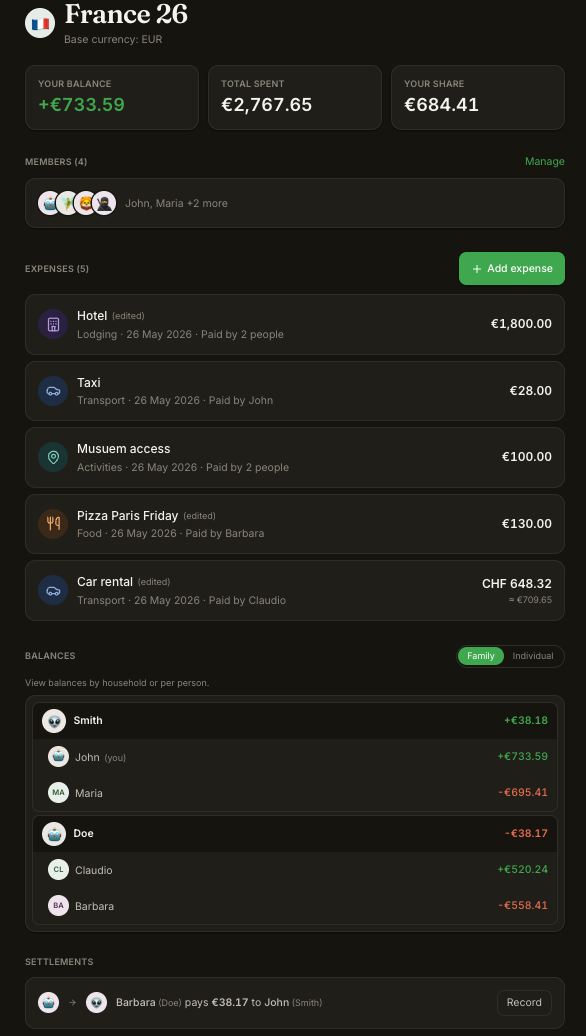
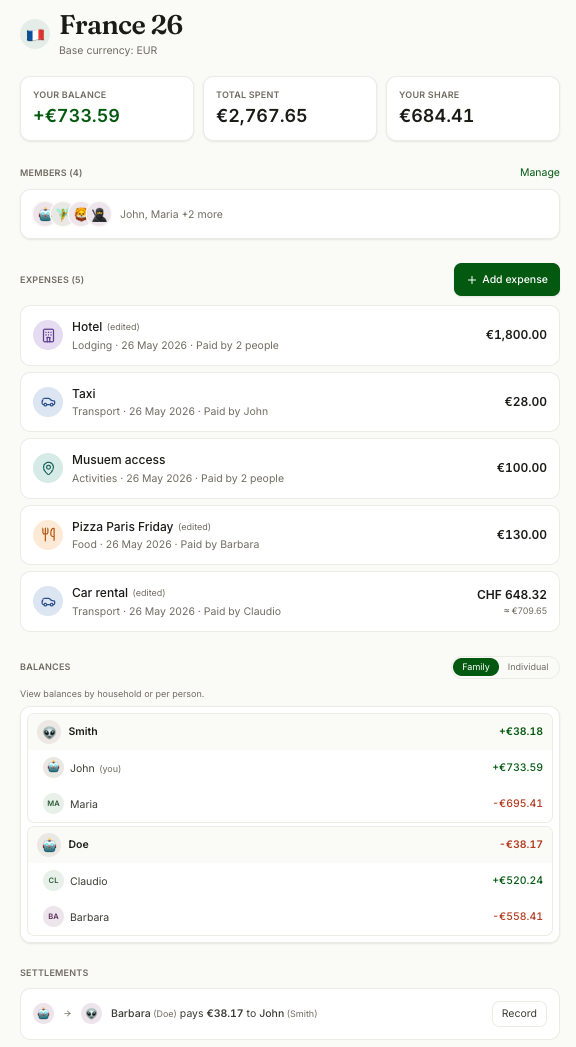
See a sample trip
A fictional trip in light and dark mode, with shared expenses, guests, and payments in different currencies.
Review, share, and export your trip
Look up an expense, check how a balance adds up, or download the trip records.
- Join trips via invite link
- Email/password or passkey sign-in
- Add Splitter to your home screen
- Search across expenses and payments
- Explain any balance transaction by transaction
- Push notifications
- Claim your guest expense history
- CSV and JSON exports
Your expenses stay within your trip
You can only see trips you belong to. Splitter records expenses and payments; it does not move or hold your money.
- Only trip members can see trip expenses
- No bank connection required
- Clear activity history
- Check totals and balances before finishing
- Sign in with email and password or a passkey
- Record expenses for guests without accounts